Get setup on wp-admin
WordPress Plugin
Access Cartesian's agentic marketplace to discover and install WordPress plugins when you need them, without leaving your current task.
How to install
 1
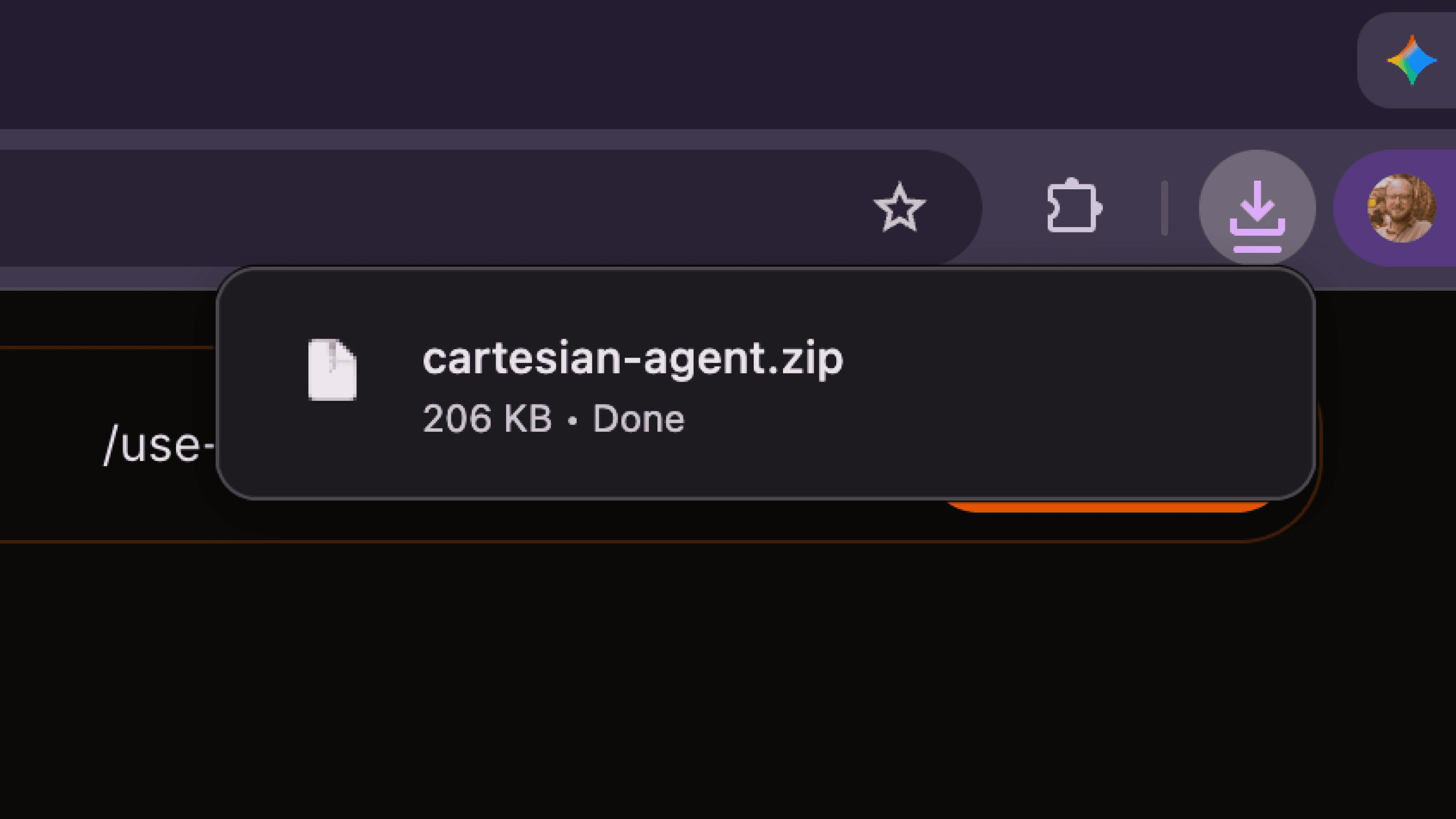
1Download the plugin
Download cartesian-agent.zip — the latest release is always available at that link.
 2
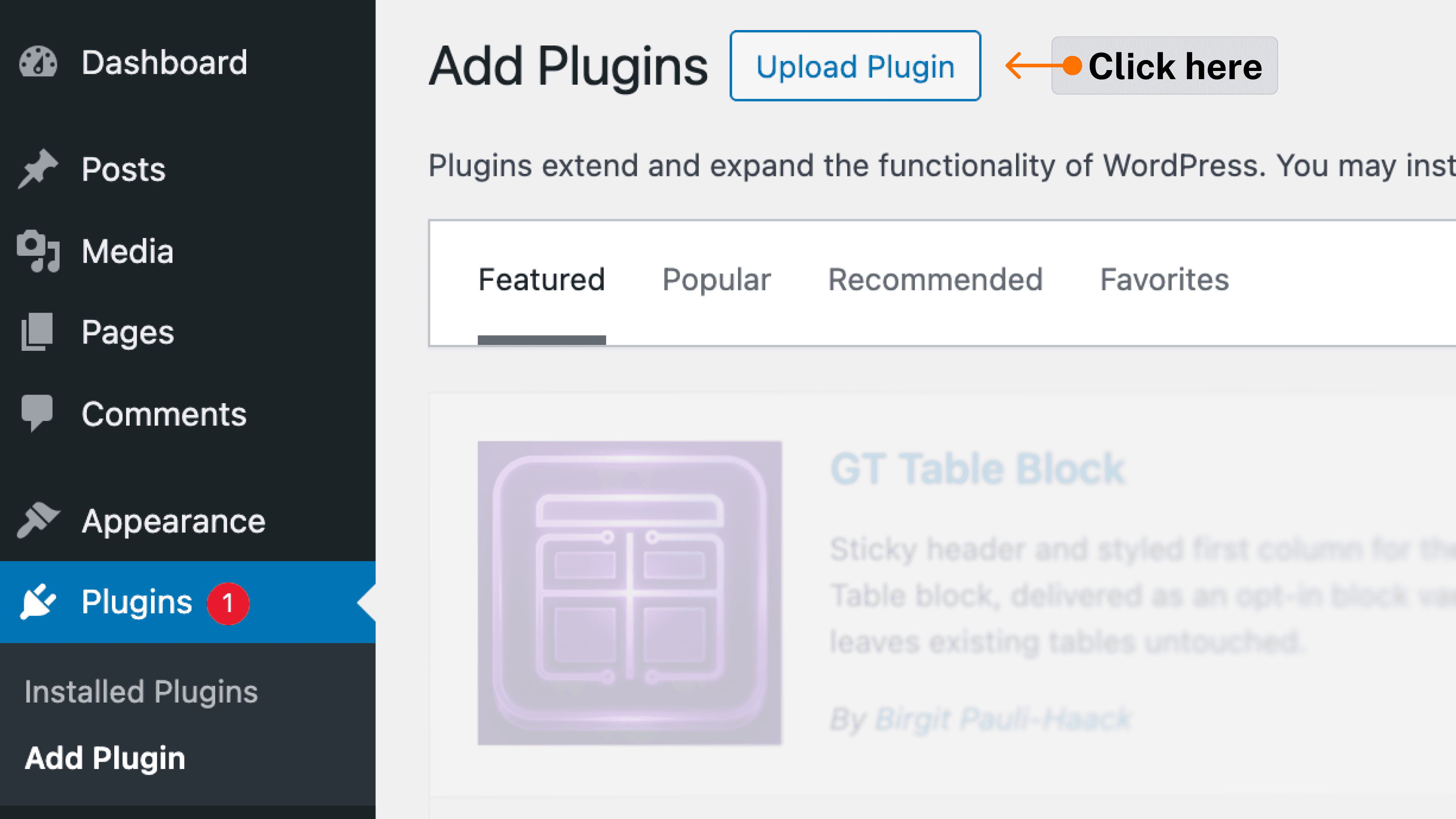
2Install in WordPress
In your WordPress admin, go to Plugins → Add New → Upload Plugin, select the zip file you just downloaded, and click Install Now, then Activate.
 3
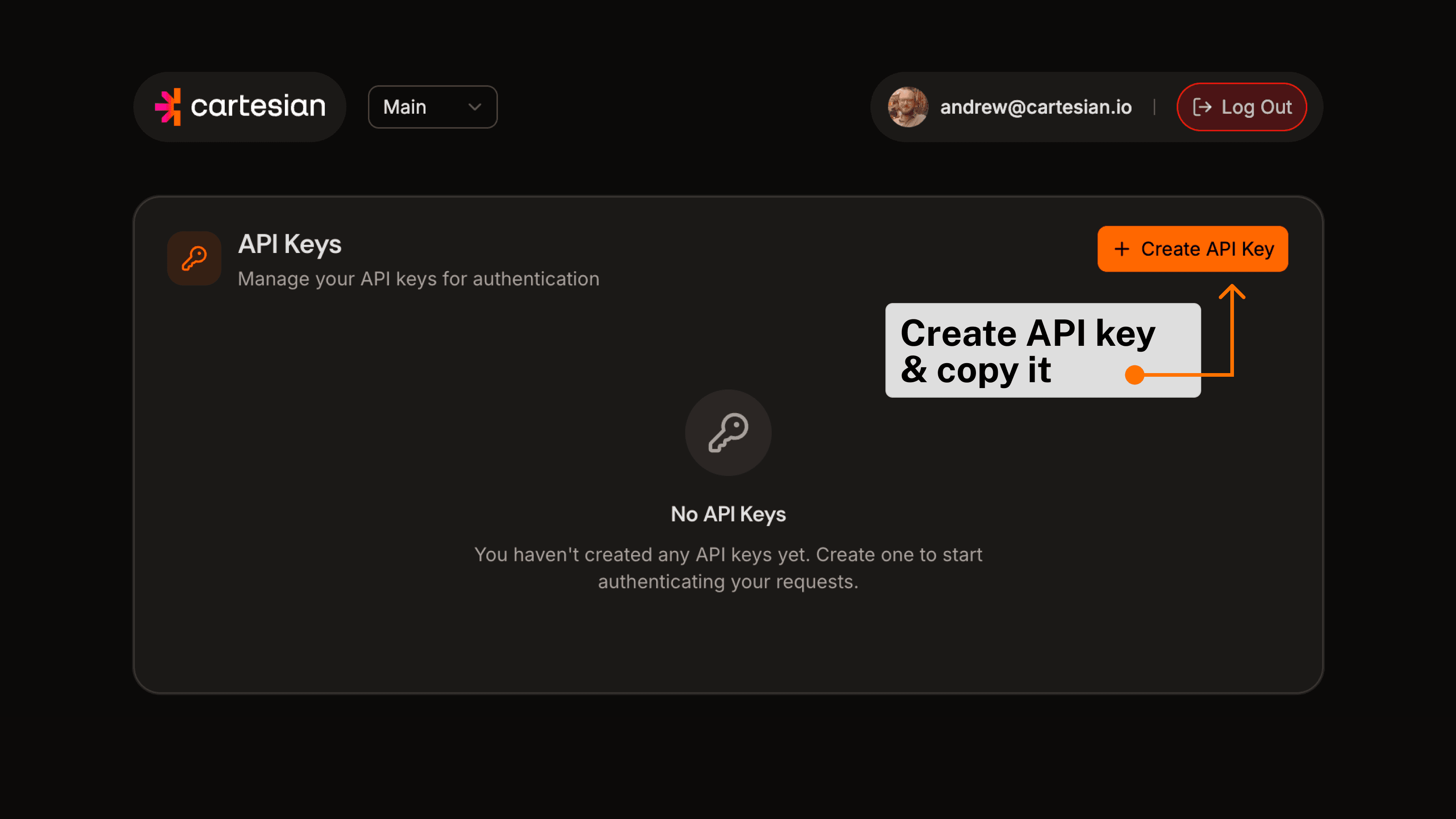
3Create your API key
Go to home.cartesian.io, sign in with any email address, and generate an API key from your account settings.Make sure you copy and paste the API key!
 4
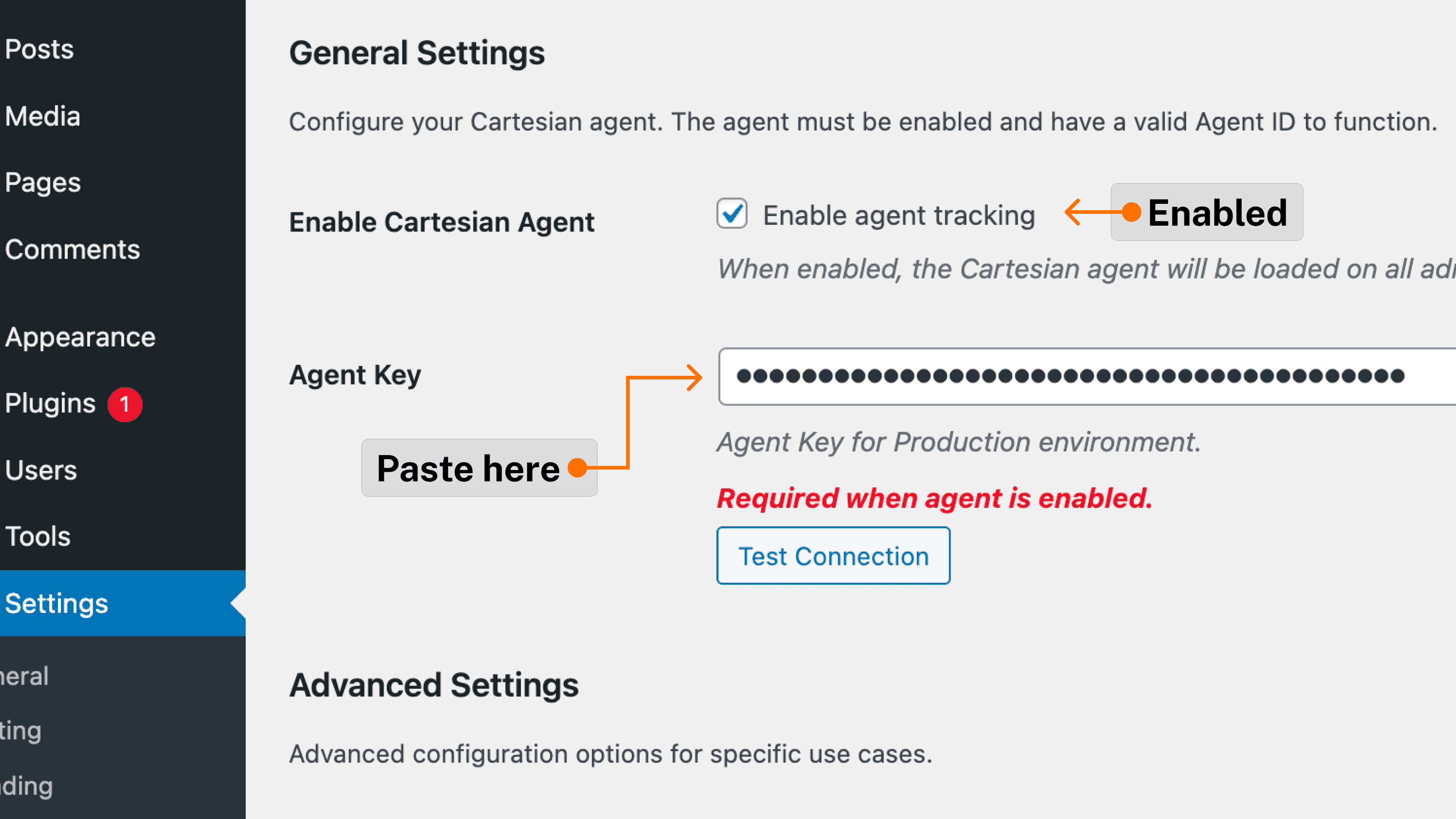
4Configure the plugin
Navigate to Settings → Cartesian Agent. Paste your API key into the Agent Key field, toggle Enable agent tracking, and click Save.